
01
Palace Walk Together
Photo
A palace walk. A car selfie. A crowned lion entrance. Choose your role in fourteen fictional scenes, then create a new 10-second 720p video for 50 credits.
One-time credit packs. No subscription.
One portrait inspires a fictional lion persona; it is not a literal human likeness.
Upload one clear, evenly lit adult portrait with permission. You remain human alongside the fictional lion companion.
Sign-in required · 50 credits per video · Packs from $5.99
Choose your cast
Start with these 4 options, or browse all 14 scenes in the collection.
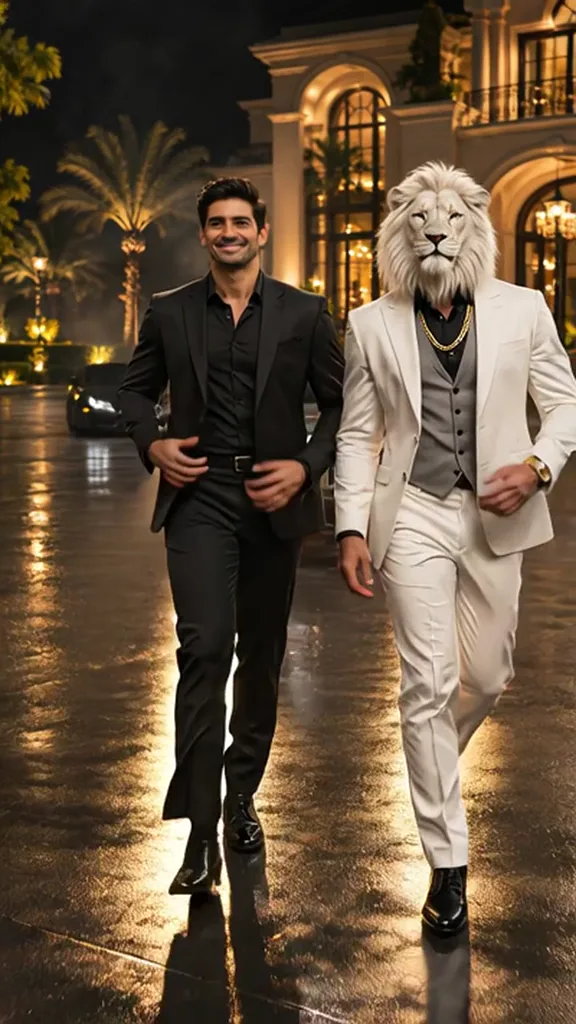
A nighttime walk along a palace driveway with an unlikely companion. Your adult portrait supplies the human walking beside a fictional white-maned lion in a suit. This scene keeps you human; the lion is a separate character. The example shows the setting and companionship, while your new video follows a written prompt.
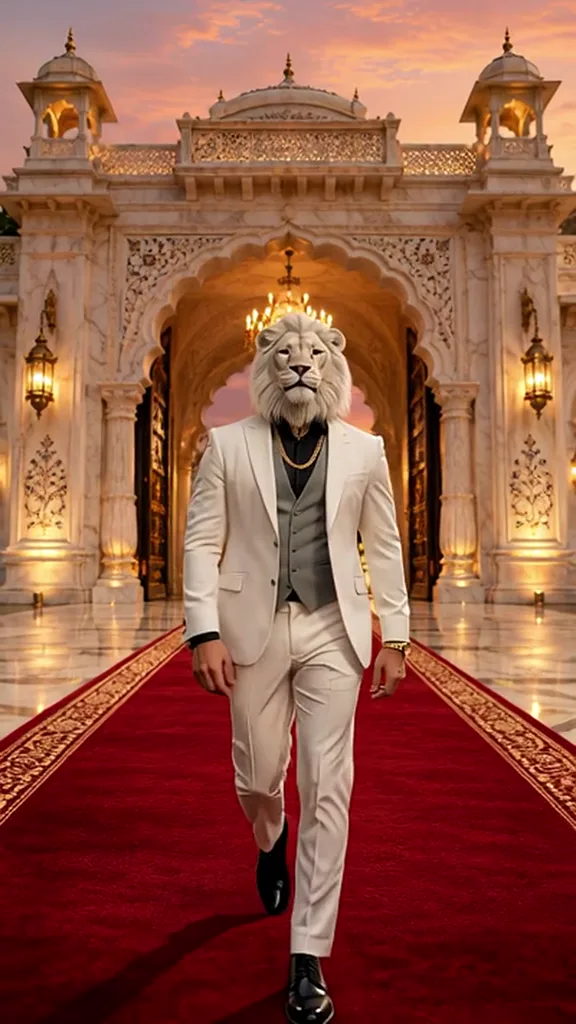
Make the lion your on-screen persona. Billionaire Arrival uses one adult portrait as creative inspiration for a white-maned lion making a confident entrance. This is a stylized transformation: the finished face is a lion, and a literal match to your human features is not promised.
Two people share the spotlight while Sheru Bhai stands as their fictional bodyguard. Couple and Bodyguard takes two separate adult portraits and adds a white-maned lion in a suit. Both uploaded people remain human; the lion is a third character supplied by the scene prompt.
Put a stylized lion persona in the bidder’s seat. Grand Auction Bid uses one adult portrait as inspiration for a white-maned lion in a dramatic auction setting. The uploaded person becomes the creative reference for the lion; this scene does not add a human guest beside him.
14 templates
Choose from fourteen scenes: appear beside a fictional white-maned lion, bring two adults to the bodyguard scene, or use one portrait to inspire a stylized lion persona. Written prompts and your photos create a new video; the preview clip is not sent as a motion reference. Each video generation requests a 10-second 720p MP4 with generated audio, in 9:16 or 16:9, for 50 credits. Review faces, anatomy and sound before sharing.
Uploaded AI example clips illustrate the setting, not a guaranteed result. Their length, framing and sound differ from your new 10-second 720p video. Generation uses your photos and a written prompt, requesting instrumental audio without dialogue; preview speech is not reproduced.
Try it with your photosChoose one of 14 scenes, upload the required photos and select 9:16 or 16:9. The scene prompt is prepared for you.
Use clear, evenly lit adult portraits with permission. Human-companion scenes need one portrait; Couple and Bodyguard needs two, viewer-left then viewer-right. Lion-persona scenes use one adult portrait as inspiration for a stylized lion, without promising a literal human likeness.
Open My videos to review the finished performance. Download the MP4, add your own caption and identify it as an AI creation when you publish.
Ideas
Walk along a palace driveway at night beside the white-maned lion.
Two adults pose together with the white-maned lion as bodyguard.
Pose on the red carpet beside the white-maned lion.
Share a car selfie with the white-maned lion.
Share a cafe cash moment with the white-maned lion.
Inspire a crowned white-maned lion entering a palace.
Choose from fourteen scenes: appear beside a fictional white-maned lion, bring two adults to the bodyguard scene, or use one portrait to inspire a stylized lion persona. Written prompts and your photos create a new video; the preview clip is not sent as a motion reference.
Use clear, evenly lit adult portraits with permission. Human-companion scenes need one portrait; Couple and Bodyguard needs two, viewer-left then viewer-right. Lion-persona scenes use one adult portrait as inspiration for a stylized lion, without promising a literal human likeness.
Uploaded AI example clips illustrate the setting, not a guaranteed result. Their length, framing and sound differ from your new 10-second 720p video. Generation uses your photos and a written prompt, requesting instrumental audio without dialogue; preview speech is not reproduced.
Generate 10 seconds at 720p in 9:16 or 16:9 for 50 credits. Check faces, anatomy and audio throughout; label shared clips as AI creations.
Read the format guide to understand photo-and-prompt generation.
Use a clear adult portrait with even lighting and a visible face. Avoid heavy filters or anything covering the face, and use only photos you have permission to use.
The photo guide covers framing, light, separate portraits and lion-persona references.Companion and lion-persona templates use one portrait. Couple and bodyguard templates need two separate portraits: viewer-left first, then viewer-right.
Images are 2K and cost 5 credits. Videos are 10 seconds at 720p with audio and cost 50 credits. Choose portrait 9:16 or landscape 16:9.
Check faces, hands and other details in your result; for videos, check the sound too. Download your result and identify it as AI-generated when sharing.
Video packs
Each video generation requests a 10-second 720p MP4 with generated audio, in 9:16 or 16:9, for 50 credits. Review faces, anatomy and sound before sharing. Images cost 5 credits each.
60 credits: 12 images, or 1 video with 10 credits left.
150 credits: 30 images or 3 videos.
300 credits: 60 images or 6 videos.
Each video generation requests a 10-second 720p MP4 with generated audio, in 9:16 or 16:9, for 50 credits. Review faces, anatomy and sound before sharing. Images cost 5 credits each.
See the video packsEach video generation requests a 10-second 720p MP4 with generated audio, in 9:16 or 16:9, for 50 credits. Review faces, anatomy and sound before sharing. See pricing for current packs.
Each video generation requests a 10-second 720p MP4 with generated audio, in 9:16 or 16:9, for 50 credits. Review faces, anatomy and sound before sharing.
Only in the lion-persona scenes: one adult portrait inspires a stylized lion, without an exact likeness guarantee. Human-companion scenes keep you beside the lion.
No. The service and all human photo subjects must be 18 or older.
Use clear, evenly lit adult portraits with permission. Human-companion scenes need one portrait; Couple and Bodyguard needs two, viewer-left then viewer-right. Lion-persona scenes use one adult portrait as inspiration for a stylized lion, without promising a literal human likeness.
No. Sheru Bhai Hub is an independent service. Compare each site’s workflow and terms before choosing.
Once a request is accepted, check My videos later. Processing time varies. Check the existing task before trying again.
Choose Couple and Bodyguard and upload two separate adult portraits, viewer-left first, then viewer-right. The lion is a separate generated character.
Watch the full clip with sound, check faces and anatomy, confirm consent and label the result as AI-generated.
Golden Auction Host and Golden Lounge Toast feature a golden-maned lion in a black suit. The other lion personas and human-companion scenes use a white-maned lion.
Pick a place to meet the lion and bring your own cast.
Start with your photos